Features

- WYSIWYG ("what you see is what you get") document creation
(see above).
- Creates and reads portable bridge notation (".pbn") files that are
interchangeable with other applications.
- Also reads BridgeBase .lin files, Duplimate .dup and .dlm files, and
.bri files.
- Also creates .lin, .dup, .dlm, .bri, and DeepFinesse .txt files.
- "Drag and drop" adjustment of card holdings.
- Flexible page layouts
(See the gallery for samples)—
- one, two, or four boards per page
- as many as will fit, in one to four columns
- hand records (18 boards per page)
- 2-up board preparation
- curtain cards (each player's cards in a vertical strip)
- teaching mat (cards rotated to face out toward each player)
- Multiple output options—
- Printer
- HTML Web Page (Click here for samples)
- PDF (Adobe Portable Document Format)
- Presentation (full-screen slide show)
- Paste into email (see note at bottom of this page)
- Paste or Embed into MS Word, MS PowerPoint, etc.
-
Automatic
creation of "slides" that show the bidding and play of a board call-by-call
and card-by-card. (See Gallery document 17.)
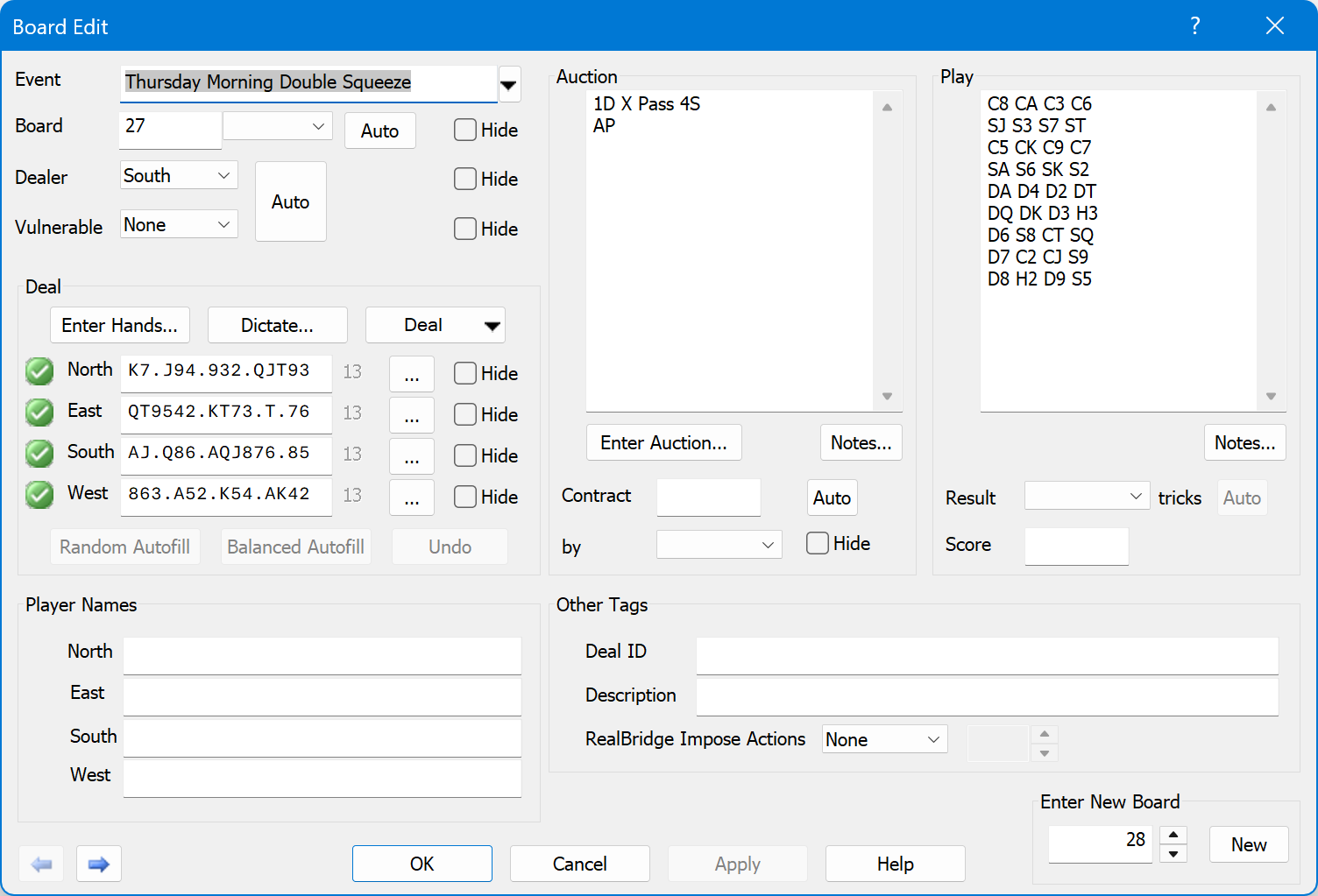
- Provides the "Board Edit" dialog (see above) for entering and changing
hand parameters.
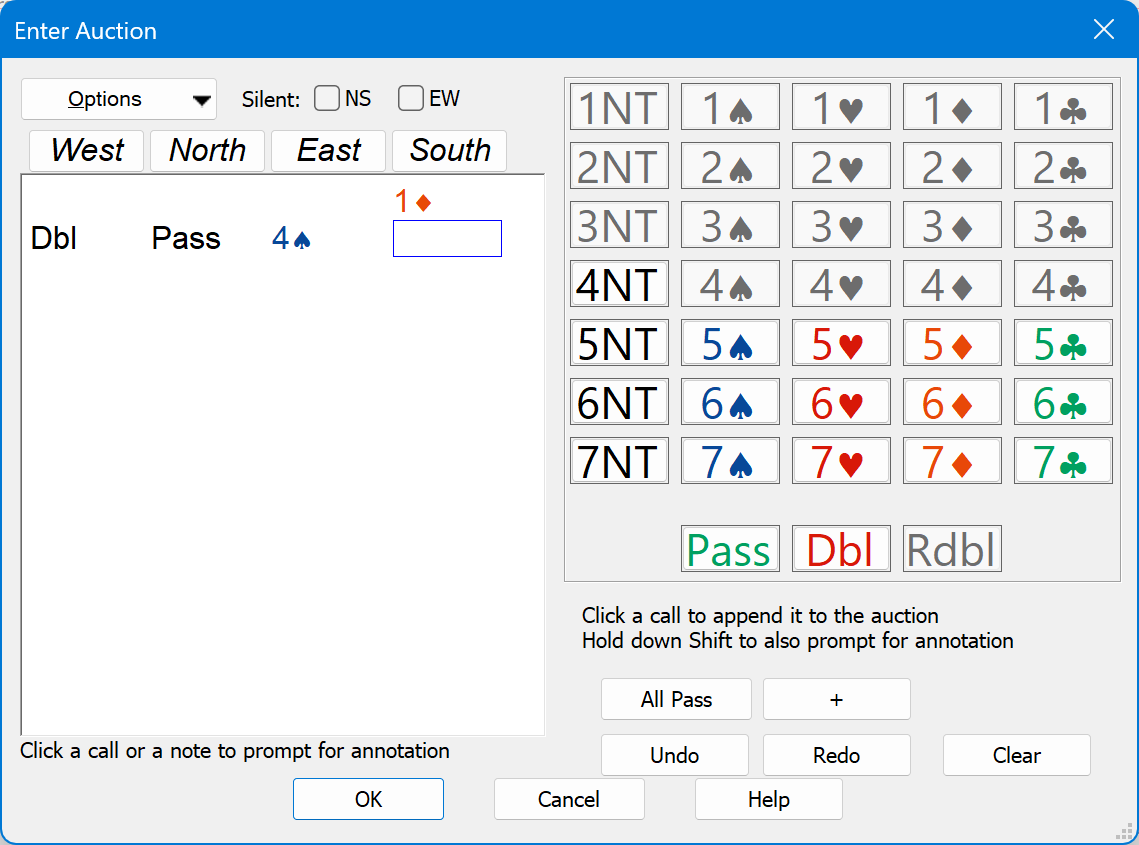
- Provides the "Enter Auction" dialog (see above) to assist in entering (and
annotating) the auction.
- Automatic bridge hand generation (or completion)—
- Random (single or multiple boards)
- Balanced
(single board at a time)
- By HCP and distribution
(single hand at a time)
- Scripting for complete flexibility
(for
example see
CreateDealType.wsf)
- Deal, auction, and play validation.
- Enter card holdings by dictation (Windows Speech Recognition).
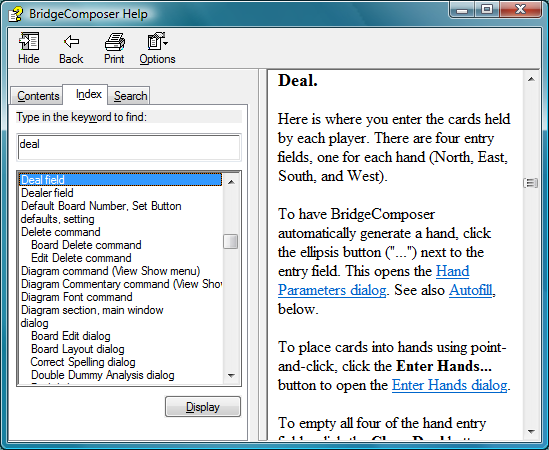
- Extensive integrated "help" feature (see above).
-
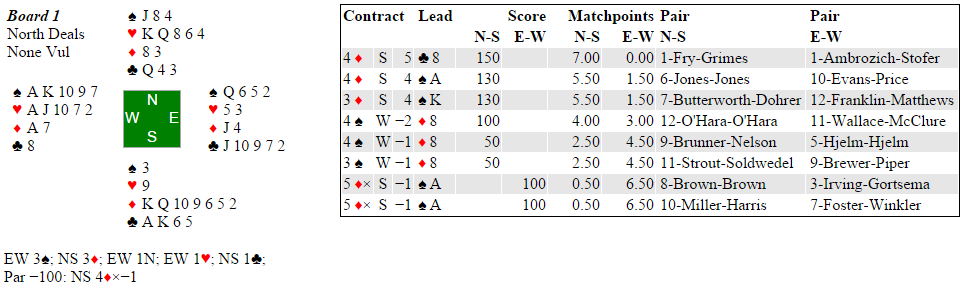
Tools→Import Score Data and File→Save As HTML commands: Merge
ACBLscore and Bridgemate or BridgePad results with hand records to create game
result web pages. (Click
here for a sample.
See the Links page for more game result web page examples.)
These commands also create similar web pages from USEBIO XML files.
Related feature: the Tools→Check Score Data command finds potential score data
entry errors.
[OFF-SITE LINK TO THIRD-PARTY INFORMATION]
Bridgemate - Wireless scoring solutions for bridge
BridgeComposer may be used to create Results web pages using data from ACBLscore
and the "results" (.bws) file that is shared by Bridgemate Control Software and ACBLscore during a game.
Optionally, hand records may be included.
[OFF-SITE LINK TO THIRD-PARTY INFORMATION]
Eliminate the delays and errors of traditional paper-based scoring systems by using
a wireless automated scoring system.
Get more information at
BridgePad™ - Wireless Bridge Scoring System
BridgeComposer merges ACBLscore reports, hand records and wireless
scoring device data to produce results web pages for uploading to your club website.
What Bridge Teachers Might Do with BridgeComposer
- Quickly and easily prepare consistent and professional-looking lesson handouts
- Ensure correct spelling (including bridge terms) using check & correct feature
(US-English built-in; other language support available)
- Enjoy automatic detection of errors such as incorrect card count, duplicate
cards, insufficient bids, and many more
- Rearrange cards while preparing lesson hands using drag-and-drop interface
- Check your work using double-dummy analysis and optimal and suboptimal play highlighting
- Prepare instructional booklets
- Quickly and easily prepare hand diagrams for your website (if you have one)
- Print "curtain cards" that can be cut into strips, each strip showing the
cards for a single player direction
- Print "teaching mats" that can be placed on tables to help students
prepare their own lesson hands
- Automatically generate hands based on HCP and distribution
(one 13-card hand at a time)
- Prepare slide shows that demonstrate the bidding and play of boards
call-by-call and card-by-card
- Produce LIN files for upload to Bridge Base Online
- Produce PDF files for printing
- Paste or Embed BridgeComposer hand diagrams into Word, PowerPoint, etc.
- Connect your computer to a projector and use full-screen mode for live presentations
- Find previously prepared lesson hands using standard Windows Search
- Merge previously prepared lesson hands from existing BridgeComposer
documents into a new document
- Rearrange boards in a document using copy/paste or the All Boards drag-and-drop interface
- Use scripting for advanced functions (for
example CreateDealType.wsf)
What Bridge Players Might Do with BridgeComposer
- Reconstruct hands you have played
- Save a record of hands
- Paste spiffy hand diagrams into email (see note)
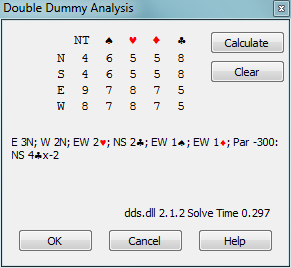
- Analyze hands using:
- Quickly solve double-dummy problems
- Have GIB or
WBridge5 (obtained separately) bid and play hands
on-screen
- Create standard PBN files for use with other bridge computer programs
- View and print existing PBN files downloaded from the web
- View LIN files downloaded from Bridge Base Online
- Convert LIN, DUP, DLM, and BRI files to PBN files
- Display PBN files as HTML files or PDF files
- Export PBN files as LIN, DUP, DLM, BRI, or Deep Finesse text files
- Use scripting for advanced functions (for
example Scenario.js)
What Bridge Club Managers/Game Directors Might Do with BridgeComposer
- See the Links page for other bridge
clubs using BridgeComposer
- Generate random deal sets for games
- Print hand records with double-dummy analysis, including
par score and par contracts
- Enter hand-dealt boards into BridgeComposer while they are idle during a
game, then print hand records
- Convert LIN, BRI, DUP, and DLM files to PBN files; convert PBN files to
LIN, BRI, DUP, or DLM files
- Post hand records to the web
- Check scores to identify potential data entry errors
- Merge ACBLscore results with hand records and/or wireless scoring device
data and post on your club website (sample)
- Prepare "hand of the week" web pages or emails
- Use scripting for advanced functions (for
example gen.js)
What Publishers Might Do with BridgeComposer
- Quickly and easily prepare printer-ready copy of bridge material
- Create PDF files of bridge material
- Enjoy automatic detection of errors such as incorrect card count, duplicate
cards, insufficient bids, and many more
Paste into email: With desktop email (such as Outlook
Express and Windows Live Mail), just use BridgeComposer Board→Copy and then
Edit→Paste into your new email message. This places HTML code into the email.
At one time, web-browser-based email
like gmail and yahoo mail could not do this, but now it seems that they can.
 BridgeComposer